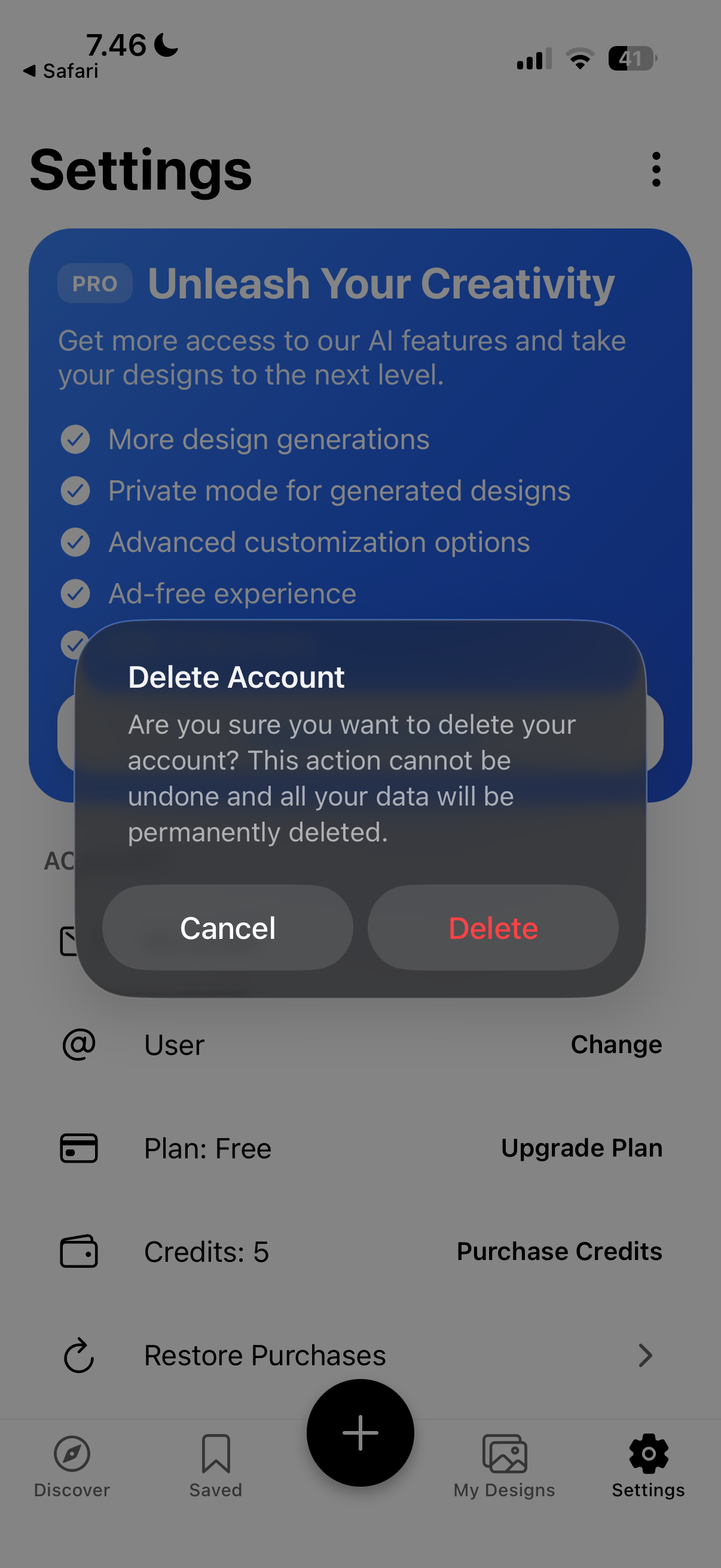
Delete Account
We value your privacy. If you wish to permanently delete your account and all associated data, please
follow the guide below.
Warning:
This action cannot be undone.
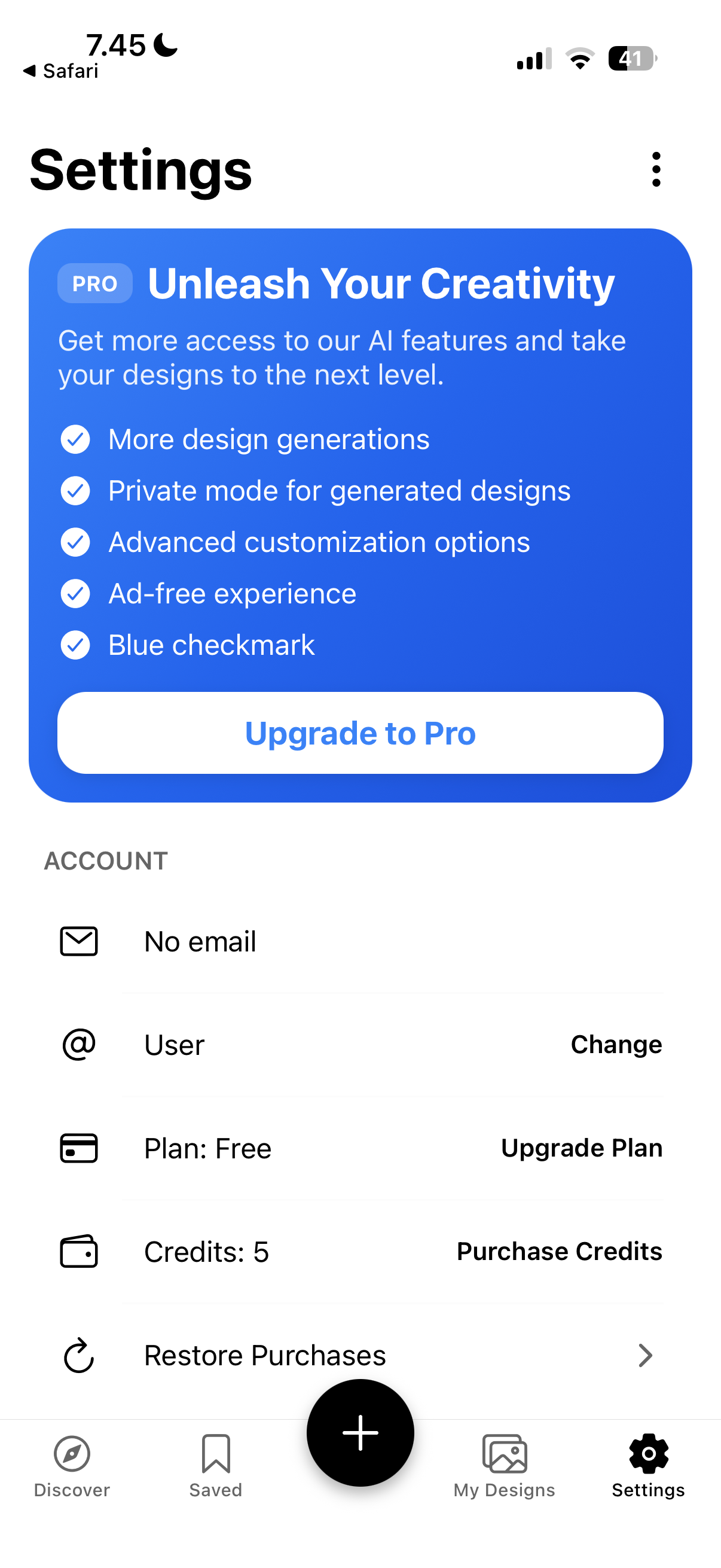
1 Go to Settings
From the main screen, tap the settings icon to open the configuration menu.
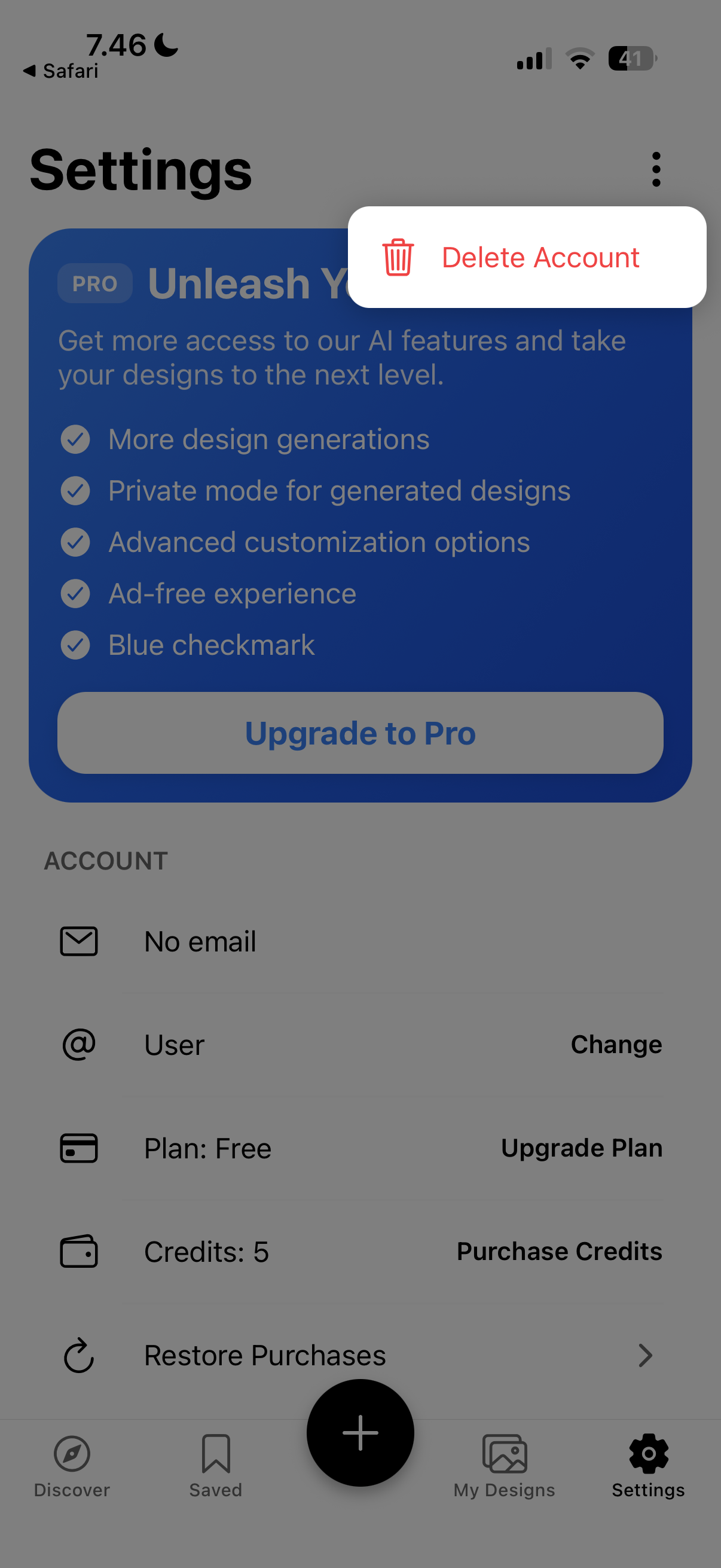
2 Open Options Menu
On the top right corner of the settings page, tap the triple-dot menu icon.
3 Confirm Deletion
Select the "Delete" button on the confirmation popup box to finalize the process.